

Branding used to be a complicated thing in presentations. You had to upload logos. Fix colors manually. Adjust fonts line by line. Copy styles from old decks. Then everything stayed consistent. Most of the time, it didn’t. A single team could produce ten presentations, each with different fonts, mismatched colors, and sloppy formatting. It felt messy. It felt unprofessional. And it took far too much time. That’s exactly why PowerPresent.AI introduced something smarter. Something quieter. Something that works in the background without you having to babysit it. This feature is the core of the platform: automatic brand learning.
PowerPresent doesn’t just let you apply your brand. It learns it. It observes your habits. It studies your design moves. It pays attention to your colors, your spacing, your structure, and your preferences. Then it evolves automatically. You don’t have to train it. You don’t have to fight with templates. And you don’t have to redo the same formatting fifty times. The tool does the work for you. Let’s break down how this works and why it’s so different from everything else in the presentation world.
When you upload anything into PowerPresent, the system starts collecting clues. A logo. A website link. A brand guideline PDF. A previous slide deck. Even a single presentation you already made manually. These elements may seem small to you, but for PowerPresent, they’re data points. They reveal your identity.
The AI doesn’t just treat your brand assets as images or colors. It treats them as a blueprint. It reads your logo to understand color palettes. It scans your fonts to detect hierarchy and tone. It studies your website to grasp your energy — modern, minimal, bold, or playful. These tiny details help the system build the first version of your brand model.
This model isn’t static. It’s flexible. It grows with every presentation you make. And this is where things become interesting.
Every move you make teaches the AI something new. If you consistently move titles to a certain position, it notes that. If you resize images to a certain ratio, it recognizes that as a preference. If you always use minimal icon styles, it adapts to match. The learning is subtle. It doesn’t interrupt your workflow. It gently absorbs your patterns.
This real-time learning is what separates PowerPresent from competitors. Most tools force you into rigid templates. They tell you what your slides should look like. PowerPresent does the opposite. It watches and learns what you prefer. Your behavior becomes the rule. Your taste becomes the system. And the next time the AI generates slides, it applies your design logic automatically.
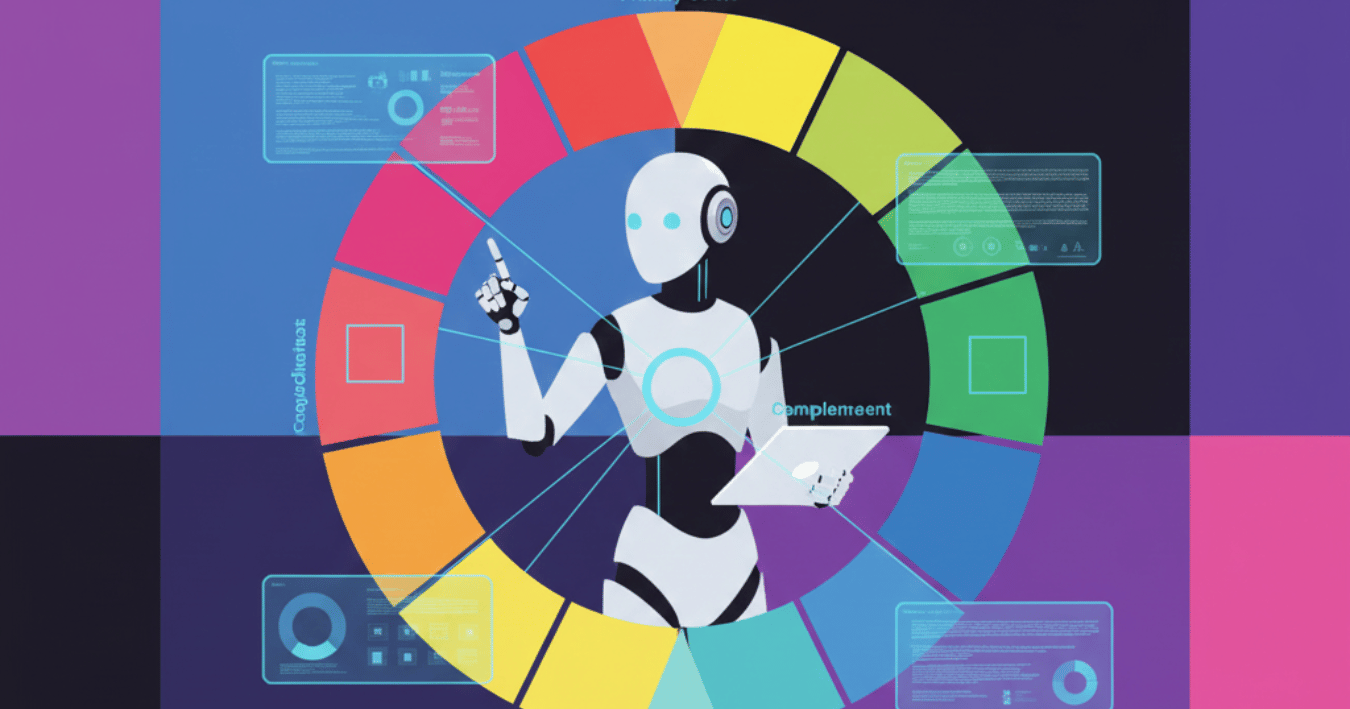
Brand colors are powerful. They communicate personality. Blue is stable. Red is bold. Green is fresh. Black is premium. PowerPresent understands this instinctively. When it learns your palette, it doesn’t just pull the hex codes. It looks at balance. It predicts intention. It studies contrast. It senses how much saturation feels right for your brand’s tone.
So if your brand style is soft and pastel, PowerPresent doesn’t suddenly hit you with neon accents. If your brand is sharp and tech-focused, it won’t give you rounded shapes with childish gradients. It keeps the emotional feel consistent.
The system also learns how you use colors inside your slides. If you use a specific accent shade for callouts, it remembers that. If you prefer darker tones for backgrounds, it keeps that in mind. This level of color intelligence makes your future slide generation shockingly consistent.
Brands are not just colors and fonts. They’re layouts. Some brands love wide spacing. Some prefer left-aligned grids. Some are balanced. Some are asymmetric. Layout is a huge part of visual identity, and PowerPresent treats it with importance.
Every slide a user creates teaches the AI something:
PowerPresent then builds its own layout rules from your actions.
And here’s the magic part: when you request a new slide type, the AI generates it using those same rules. It doesn’t break consistency. It doesn’t guess randomly. It follows your brand’s layout personality.
Brands often communicate visually through hierarchy. Some brands like huge headlines. Some prefer small, elegant text. Some emphasize images. Some emphasize storytelling. PowerPresent detects all of this.
The AI pays attention to:
Over time, your content style becomes predictable. Which is good. Because consistency builds identity. And identity builds trust. Teams often struggle to maintain hierarchy. PowerPresent solves this by turning your habits into repeatable rules.
This part surprises a lot of people. The AI doesn’t just learn how your brand looks. It learns how your brand speaks. Your tone. Your rhythm. Your choice of words. Whether you write short lines or long ones. Whether your style is inspirational or direct. Whether you're formal or casual.
PowerPresent can generate slide text in your voice automatically. It doesn’t feel generic. It feels like something your brand would actually say. That’s rare. Most presentation tools focus only on visuals. PowerPresent understands identity on both sides — design and copy.
When teams work without a shared template system, chaos happens. Some slides have blue headings. Some have purple. Some use Arial. Some use Montserrat. Some stretch logos. Some shrink them. It’s inconsistent. It’s frustrating. It’s damaging.
PowerPresent fixes this instantly.
When the AI learns your brand, everyone’s slides match automatically:
No more mismatched styles. No more weird formatting. No more accidental rebranding happening in the middle of a deck. The tool becomes a living brand guardian.
PowerPresent doesn’t just help you design slides. It becomes the designer. It becomes the brand expert. It becomes the consistency guardian that most companies wish they had. The more you use it, the smarter it gets. The more it learns, the more seamless your workflow becomes. Presentation design stops feeling like a chore. It starts feeling automatic. Clean. On-brand. Reliable. That’s the real power behind PowerPresent’s automatic brand learning system — a feature that makes every deck feel like it was built by your own in-house design studio.


.png)
.png)