

Making presentations for students is not about putting information on slides. It is about delivering knowledge in a way that feels clear and easy to understand. This is because presentations need to be engaging and informative. Many educators and students struggle to get this right. The thing is, slides can get too full of words, or they can be messy to look at, or they can be poorly structured. This can affect how well people understand the information and whether they pay attention to the presentations. Presentations, like these, need to be clear and easy to follow so people can understand the information being presented in the presentations.
This guide explains how PowerPresent.AI helps in preparing truly student-friendly presentations by focusing on clarity, structure, and learning psychology, rather than just visual appeal.

Students do not want decorative slides. They want clarity. A student-friendly presentation delivers information in small, logical parts that build understanding step by step. Each slide should answer one clear question or explain one focused idea.
PowerPresent.AI is designed around this learning-first mindset. Instead of treating slides as static documents, it treats them as guided learning tools that support comprehension, retention, and engagement.
A common mistake when creating presentations is starting with templates, colors, or animations. While design matters, learning objectives matter more. A student-friendly presentation begins by defining what the student should understand by the end of the lesson. PowerPresent.AI encourages this approach by asking for topics, outlines, or content first. The AI then analyzes the educational intent behind the content and builds slides that reflect a logical learning progression rather than random visual layouts.
Students struggle when information appears without structure. Long explanations without clear transitions can quickly cause confusion. PowerPresent.AI automatically divides content into sections, including introductions, key concepts, explanations, examples, and summaries. This structured flow helps students understand how ideas connect and relate to one another. It also makes it easier for teachers to explain complex topics without losing the attention of the class.
One of the most important rules of student-friendly presentations is limiting each slide to a single main idea. When multiple concepts appear on one slide, students often miss all of them.
PowerPresent.AI automatically separates content so that each slide focuses on one concept only. Supporting points remain concise, and unnecessary information is removed. This helps students process information more efficiently and reduces cognitive overload.
Students have a time understanding things, and it is not because the topic itself is tough. The problem is that the words used to explain it are too complicated. When you use long sentences and big words that people do not use in everyday life, it makes simple ideas seem scary. Students struggle with this kind of language. It makes learning difficult for the students. The language used to explain the topic is the issue, for the students, not the topic itself.
PowerPresent.AI helps simplify language while preserving meaning. It restructures explanations into clearer sentences and highlights key terms without overwhelming students. This is especially helpful for early learners, non-native English speakers, and introductory-level courses.
Visual elements should support learning, not distract from it. Too many images, icons, or animations can confuse students and shift focus away from the lesson.
PowerPresent.AI selects visuals intentionally. Icons are used to reinforce meaning. Graphics are included only when they help explain a concept. Empty space is preserved to keep slides visually calm and readable.
This balance ensures that visuals enhance learning rather than compete with content.
Consistency is essential for reducing mental effort. When slide layouts constantly change, students spend unnecessary energy adjusting instead of learning. We maintain consistent layouts, typography, and spacing across all slides. Headings appear in the same position. Text follows predictable patterns. This consistency helps students focus on the content instead of the design.
When you are making a presentation for school students, it should be different from one you make for university students or people who are learning for their job. The people you are presenting to are all different, and they expect things. They can also pay attention for amounts of time. PowerPresent.AI changes the way the slides are set up and how much information is on them, depending on who's going to be looking at them. For students, PowerPresent.AI uses language and more pictures to help them understand. For students, like university students, PowerPresent.AI gives detailed information and uses a clear order to make its points.
This adaptability makes PowerPresent.AI suitable for a wide range of educational environments.
Teachers and students usually begin with notes, textbooks, or documents. When they try to turn these into slides by hand, it takes a lot of time. This also often means the slides end up with much information on them. Teachers and students have to spend hours doing this. Converting notes, textbooks, or documents into slides manually is really time-consuming. It often results in slides that have much content, which can be hard to read. Teachers and students have to deal with this problem when they make slides from notes, textbooks, or documents.
PowerPresent.AI makes this a lot easier. You can add your notes. Copy and paste some text, and they will turn it into slides that are easy to read. The PowerPresent.AI finds the points, puts them in order, and shows them in a way that is easy to understand.
The beginning of a presentation sets the tone for the entire lesson. Students need to understand what they are about to learn and why it matters.
PowerPresent.AI creates introduction slides that clearly define the topic, learning goals, and structure of the presentation. This helps students mentally prepare and improves engagement from the start.
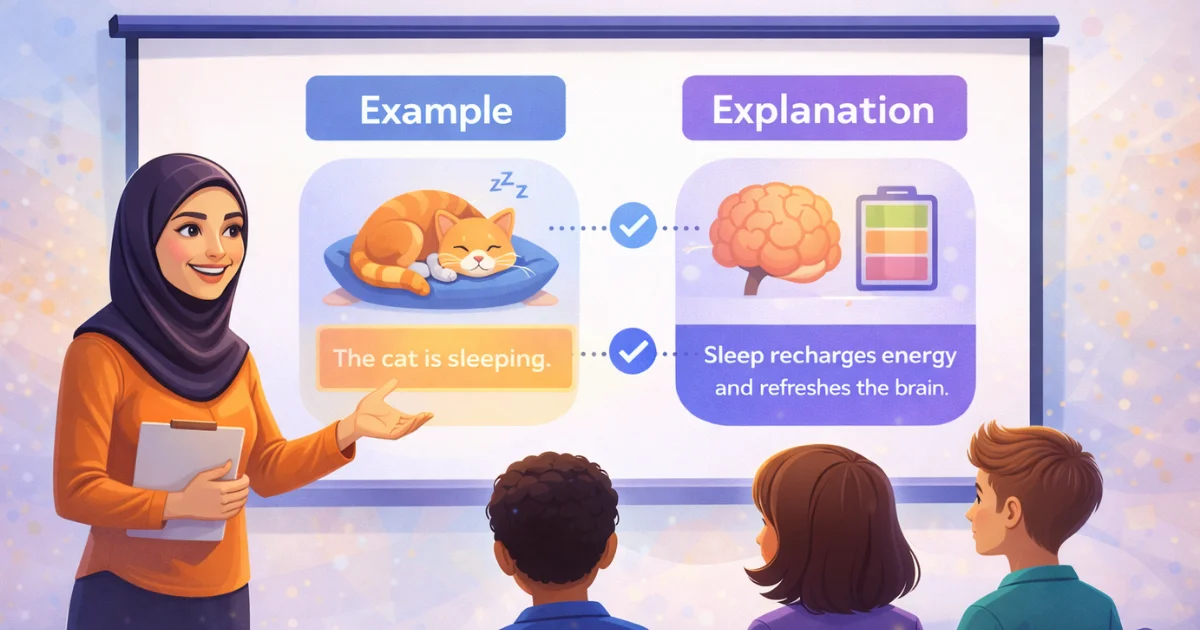
Examples play a critical role in learning. However, poorly presented examples can confuse students rather than help them.
PowerPresent.AI places examples directly after explanations, ensuring a logical flow. Each example is clearly labeled and visually separated from theory, making it easier for students to apply what they have learned.
Recap slides are essential but often poorly executed. Repeating entire explanations defeats their purpose.
PowerPresent.AI creates concise summary slides that highlight only the most important points. These slides help reinforce learning and give students a clear takeaway from the lesson.
Presentations that are easy for students to understand are really important these days. We need them to keep students focused to help students learn better, and to support students who learn in different ways.
PowerPresent.AI makes it really easy to create presentations. It does this by using ideas and automated design. PowerPresent.AI helps turn information into presentations that are interesting and actually work for learning. PowerPresent.AI makes presentations that really support learning with PowerPresent.AI.
For educators, it means better teaching with less effort. For students, it means a clearer understanding and greater confidence. And for learning overall, it means better outcomes.


.png)
.png)